WhatsApp CRM that works on your own WhatsApp
Stage, notes and follow-ups beside every chat, on your own number.

- Used by sales teams in India, the UAE, Singapore, Australia and Brazil
- Free plan
- No card needed
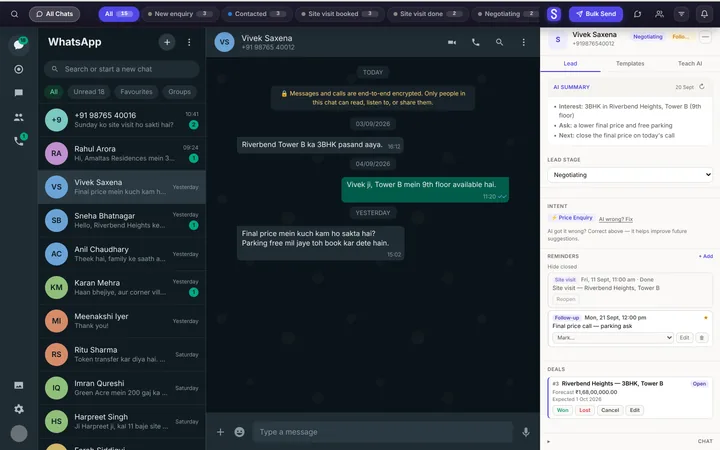
Everything beside the chat
Capture
Add a chat as a lead in one click. Forms and Sheets arrive alone.
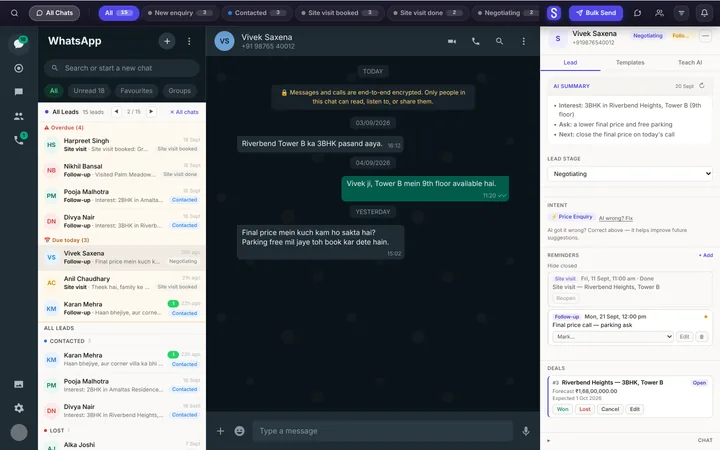
Manage
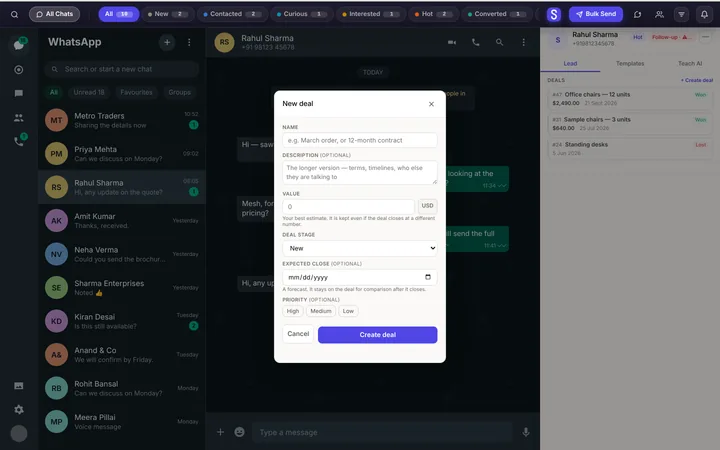
Stage, notes, deals and full history beside the conversation.
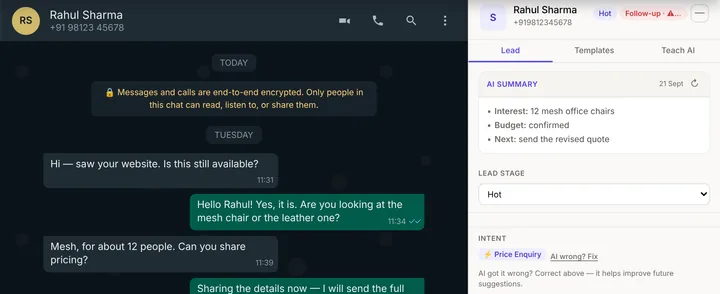
Follow up
Reminders on time, and templates with your brochure attached.

Calls
Calls on Android land on the same lead.

Bulk
Message the right two hundred, paced like a person.
Reports
Messages, calls and follow-ups for every person.
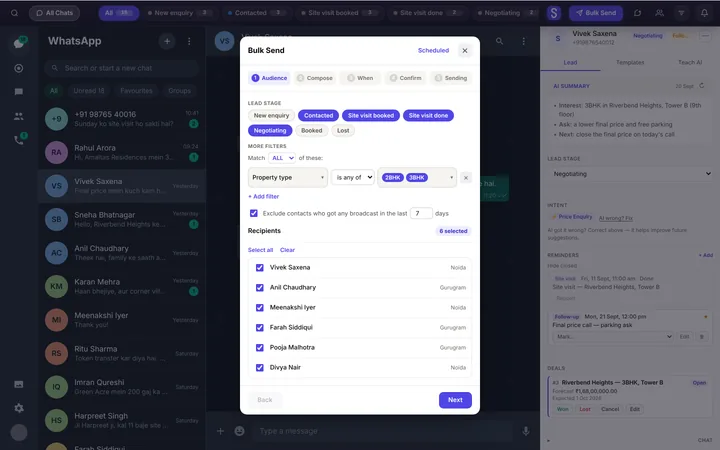
Message the right two hundred
Filter by stage, city or any field. Each lead gets their own version, from your own WhatsApp.
- One message at a time, 30–90 seconds apart.
- At most 150 a day from each number.
- Brochure, price list and photos attached. Paid plans.
See the WhatsApp side in 90 seconds
One enquiry, from buried in the chat list to a won deal.
Syncdo vs the Business app vs API tools
Calls belong on the same lead
Most deals mix calls and chats. With the Android app, both land on one lead.

Questions, answered
What is a WhatsApp CRM?
It tracks the customers you talk to on WhatsApp: who they are, where each deal stands and when to follow up. Syncdo does it inside WhatsApp Web, on your own number.
How is it different from the WhatsApp Business app?
The Business app gives you labels and quick replies. A WhatsApp CRM adds stages, reminders, templates with attachments, team reports and calls on the same lead.
What should I look for in a WhatsApp CRM?
Five things:
- it works inside WhatsApp on your own number;
- clear stages for every lead;
- reminders that come back on time;
- templates filled in for each customer;
- a view of the whole team.
Syncdo does all five.
How is it different from a regular CRM?
Syncdo keeps the CRM and the WhatsApp conversation in one place, so nothing has to be copied across.
Do I need the WhatsApp Business API?
No. Syncdo works with your normal WhatsApp or WhatsApp Business on WhatsApp Web. No API, no per-message fees.
Will my number get banned?
No tool can promise that. Syncdo sends one message at a time, at a person's pace, capped per number.
Can my team use it?
Yes. Each person has their own login and WhatsApp. Roles decide who sees which leads.
Does Syncdo read my personal chats?
No. Syncdo keeps chats of contacts you add as leads. Other chats and groups are never picked up, and we never use your messages to train AI models.
How much does it cost?
Free to start. Paid plans are per user: see Pricing.
Does it work on my phone?
Yes. The dashboard works on any phone and the Android app logs your calls. The panel sits inside WhatsApp Web on your computer.